

Getting started: build your first app
Build and publish your first Keboola app in about 10 minutes — describe it to Kai, watch it read your data and build a dashboard, then deploy it to a live URL. No code required.
Keboola apps are interactive web applications — dashboards, tools, even data narratives — that run inside your project, on top of your governed data. The app can only reach data you already have access to, there’s no separate hosting to set up, and you can build it just by describing what you want.
This walkthrough takes you from nothing to a live, deployed dashboard in about 10 minutes, using Kai. You won’t write any code.
Apps go well beyond dashboards — you describe what you want and Kai builds it, whether that’s a dashboard, an internal tool, or a scrollable data narrative. For the range of what’s possible, see What people build. This page builds a simple dashboard so you can learn the flow; the same steps produce any of them.
What you’ll need
Section titled “What you’ll need”- A Keboola project with Kai available.
- At least one table in Storage — Kai reads your data directly, so it works with whatever you already have.
- A few minutes. Building in a development branch keeps your production project untouched while you experiment.
Step 1 — Open Apps and start a new app
Section titled “Step 1 — Open Apps and start a new app”In your project, open Apps from the left navigation, then click + Create App.
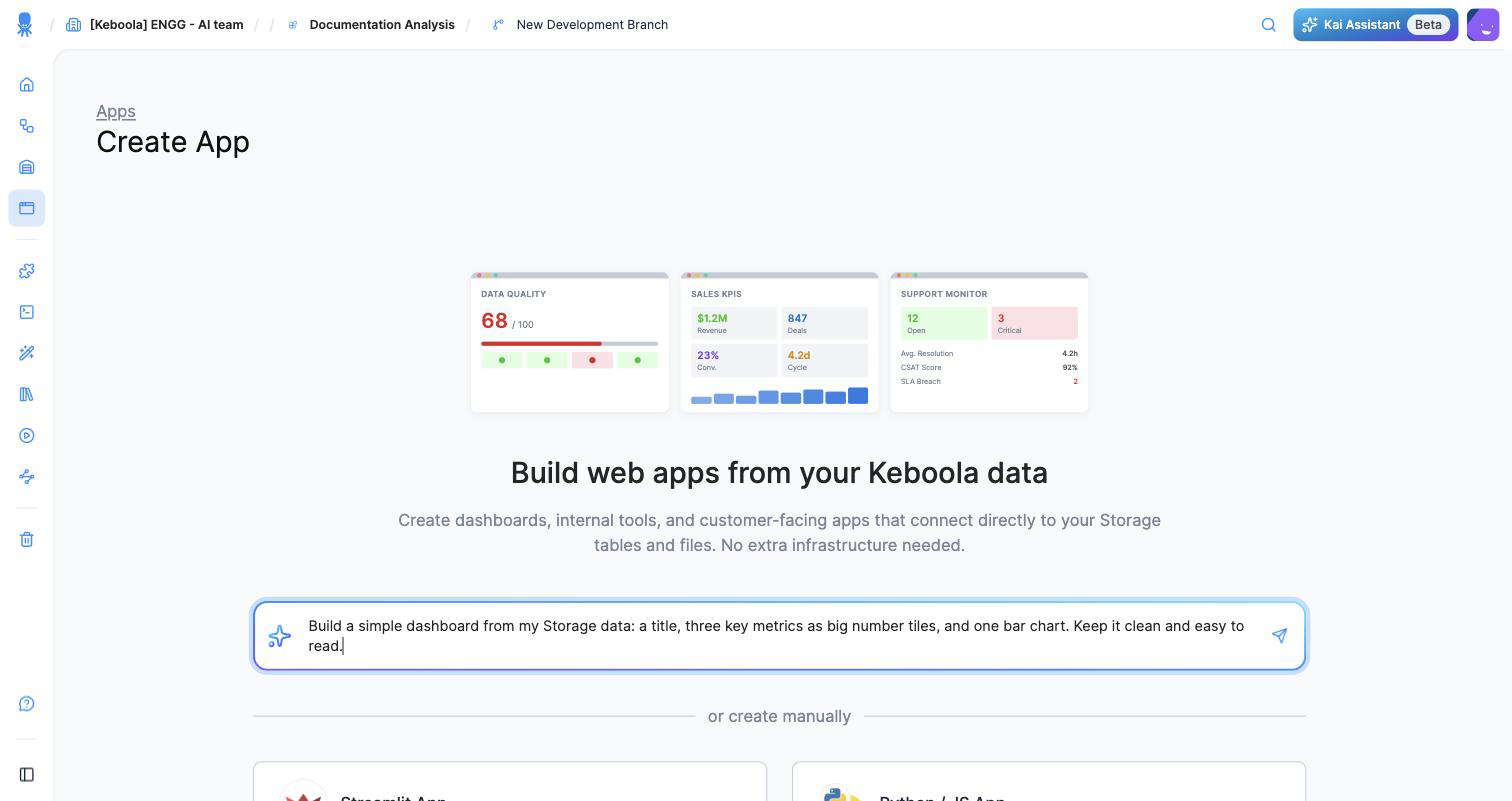
You land on the Build web apps from your Keboola data screen. It leads with a single prompt — “Describe what you want to build…” — and, below it, manual Streamlit and Python / JS options for when you’d rather set things up yourself.
Step 2 — Describe the app you want
Section titled “Step 2 — Describe the app you want”Type what you want in plain language. Name the kind of app, what it should show, and keep it simple for your first one. For example:
Build a simple dashboard from my Storage data: a title, three key metrics as big number tiles, and one bar chart. Keep it clean and easy to read.
The more specific you are — the data, the charts, the audience — the closer Kai’s first version will be.
Step 3 — Watch Kai read your data and plan
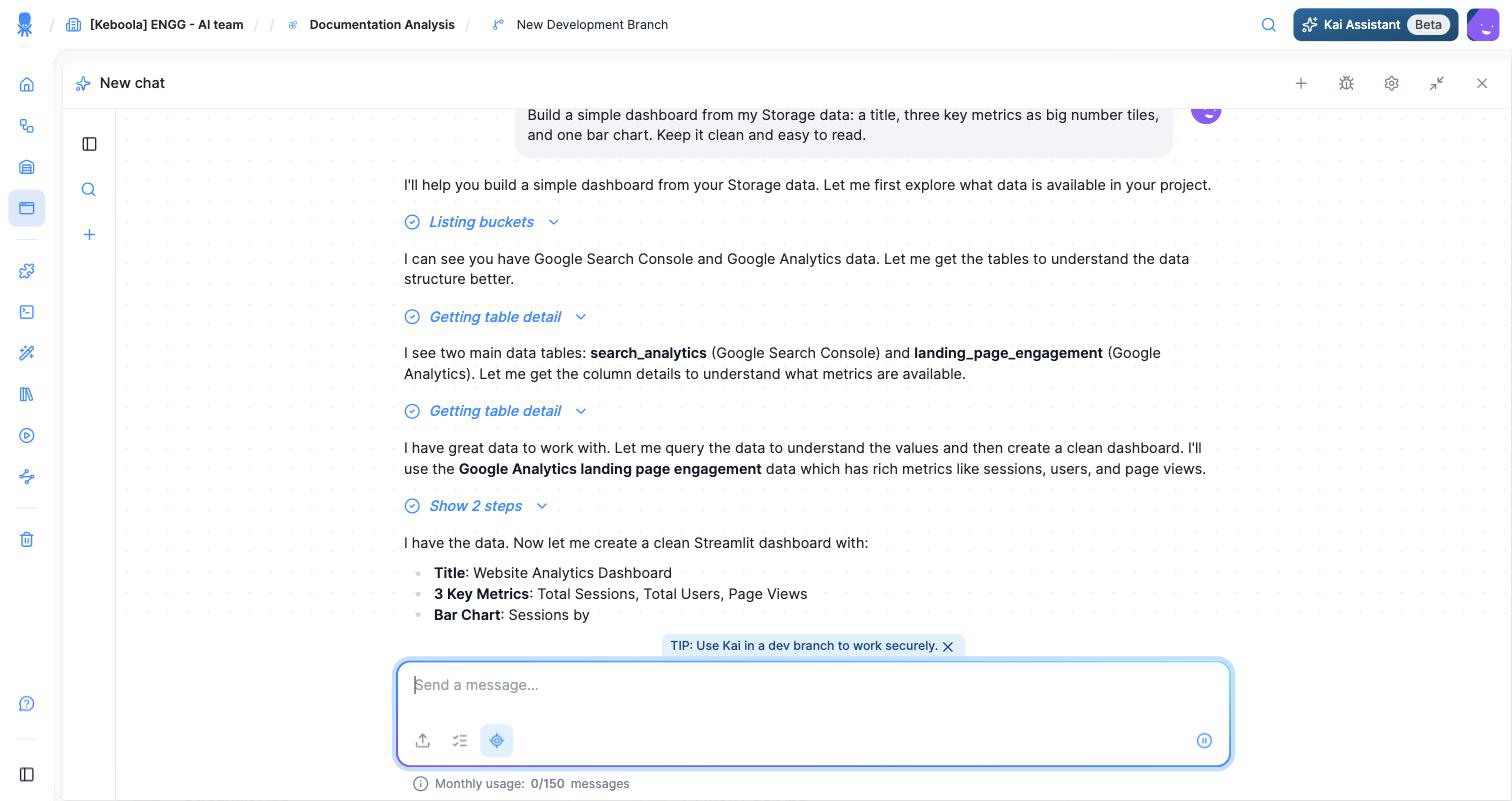
Section titled “Step 3 — Watch Kai read your data and plan”Kai opens a chat and gets to work. It explores your Storage on its own — listing buckets and reading table details — then tells you what it found and proposes a plan before building anything.
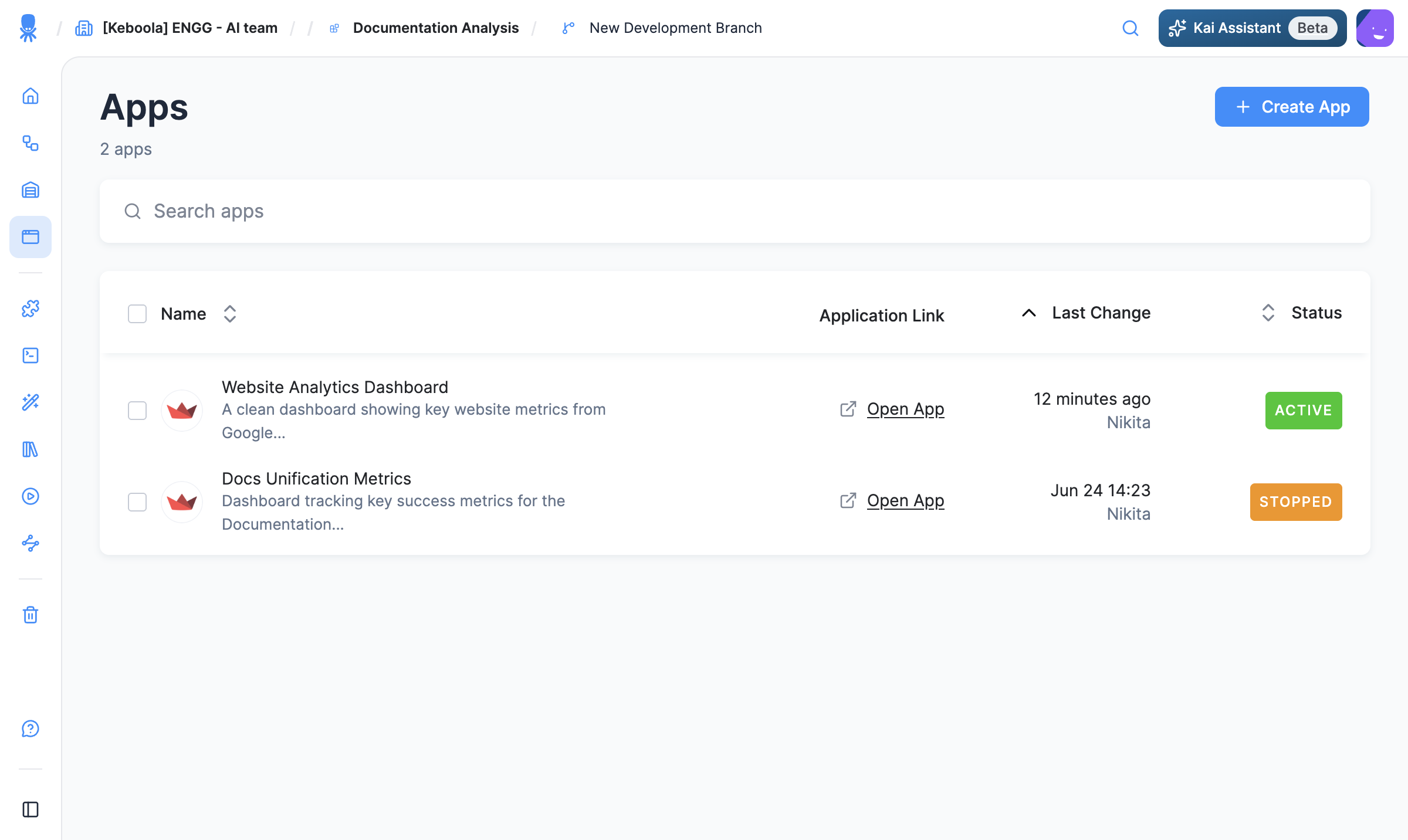
In our run, Kai discovered the project’s Google Analytics and Search Console tables, chose the analytics table, and proposed a Website Analytics Dashboard: total sessions, total users, and page views as tiles, plus a “sessions by device” bar chart.
Step 4 — Approve the app
Section titled “Step 4 — Approve the app”Kai doesn’t change your project silently. When it’s ready to create the app, it shows you the exact configuration — the app name, description, the packages it will use, and the authentication type — and asks you to Approve (or Decline).
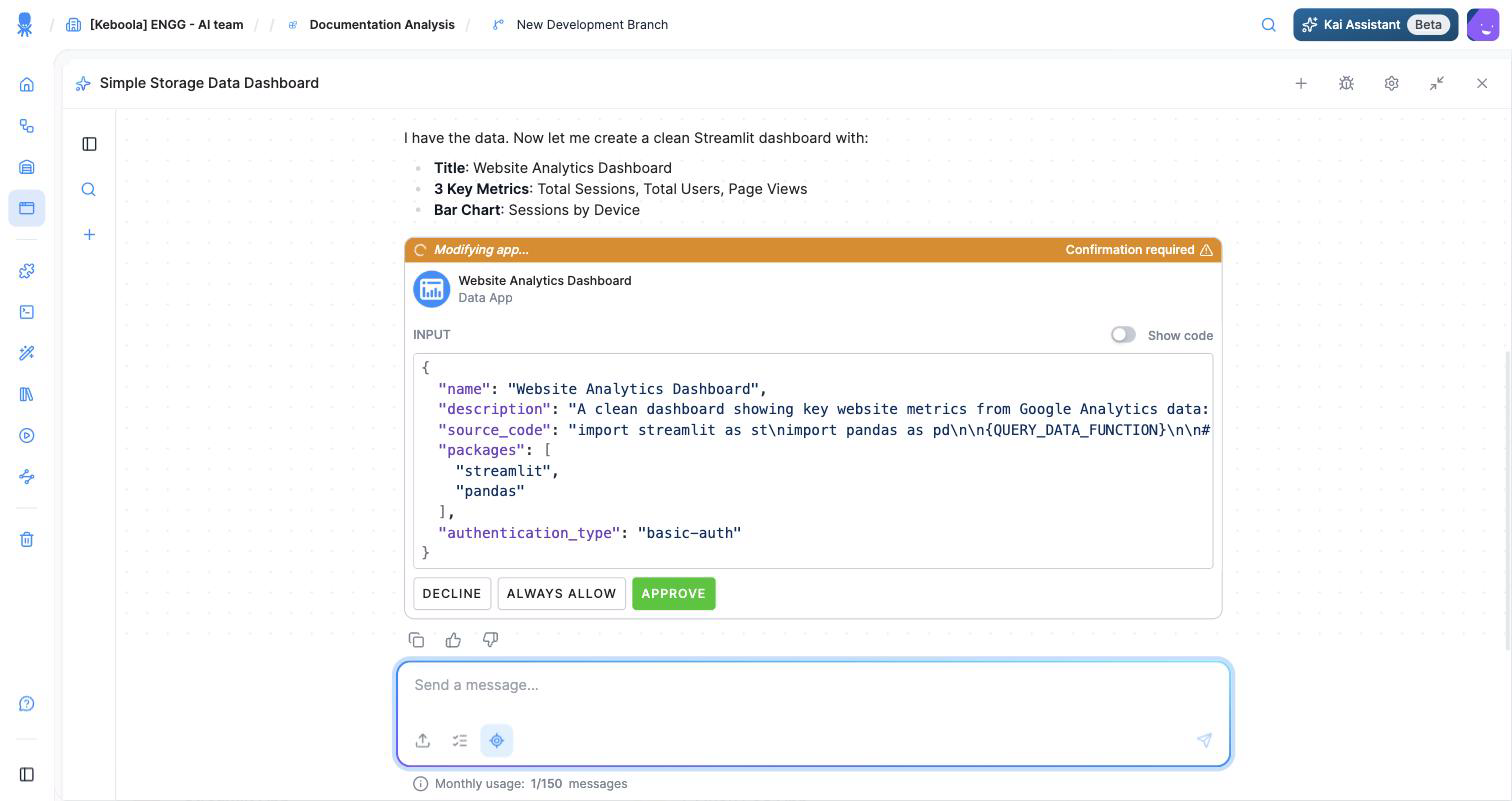
Click Approve. Kai creates the app and then deploys it for you.
Step 5 — Open your live app
Section titled “Step 5 — Open your live app”When the deploy finishes, Kai gives you the live URL and a link to the app’s configuration page. The app takes about a minute to start the first time.
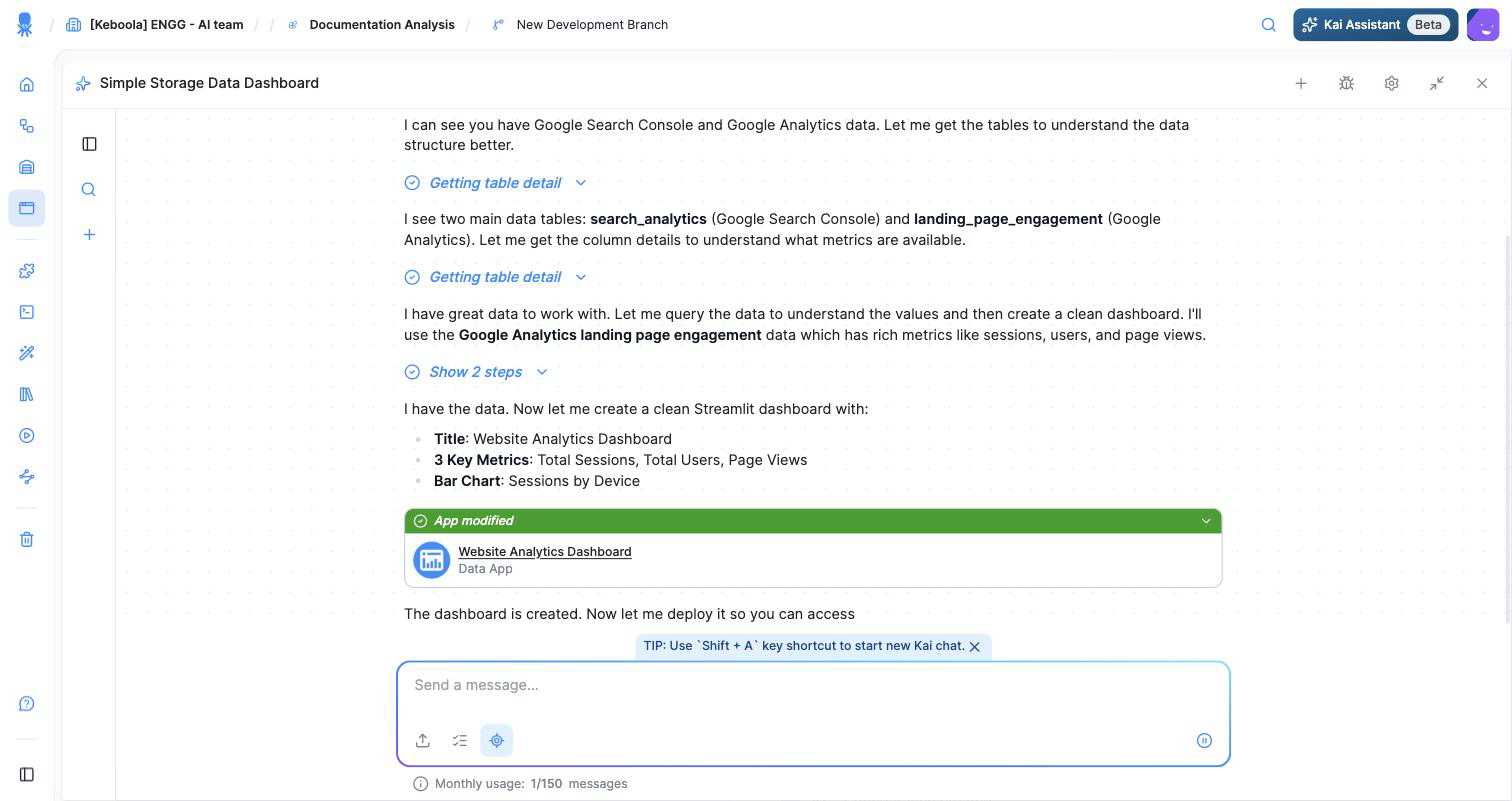
By default the app is protected with basic authentication — open it from the configuration page to see the login credentials. To change who can access it (a password, SSO, GitHub, and more), see Authentication.
Open the URL and your app is live — running on your governed data, served from its own address:
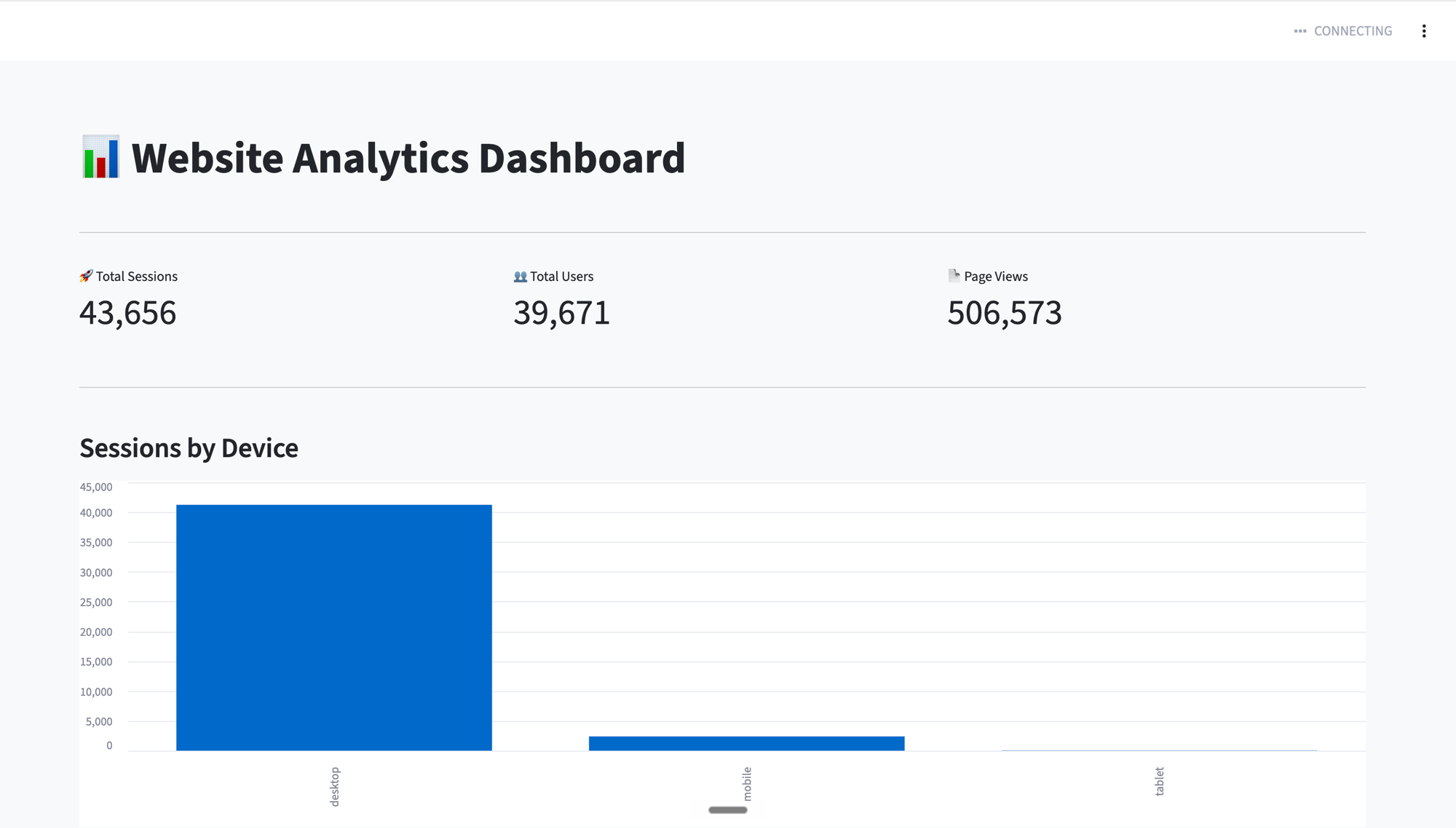
That’s it — you’ve built and published your first app. You described what you wanted, Kai read your governed data, planned, and deployed it — and you never picked a framework. The same loop builds dashboards, internal tools, data narratives, and more; for the concepts behind it, see What are Keboola apps.
What’s next
Section titled “What’s next”- Control who can open it → Authentication
- Share it with your team → Publish and share
- Prefer to click through it yourself? → Build in the UI
- Want full control over the code? → Build locally
- See more of what people build → What people build
- The concepts behind it → What are Keboola apps